FixYourVPN

Good news first: VPNs are completely legal in India and work normally on their standard settings. If yours isn't connecting or running slowly, it's almost always a speed or server issue rather than anything to do with government blocking. India doesn't systematically block VPN traffic. The most common culprits are connecting to a server that's too far away, or mobile carrier interference. Both are straightforward to fix.
VPNs aren't blocked in India
India doesn't use deep packet inspection to block VPN connections across the board. Social media, news, and general web browsing are all unrestricted. What Indian ISPs do block, by court order, are specific categories: torrent and piracy sites, some adult content, and occasionally individual websites under copyright or legal orders. A small number of VPN provider websites have been blocked too, which is worth knowing before you travel.
So if your VPN isn't working in India, active censorship of VPN traffic almost certainly isn't the cause. It's a speed, server, or carrier issue. The fixes below go through each one.
Switch to WireGuard for better speed
Slow speeds are the most common VPN complaint in India, and the protocol you're using is usually the reason. WireGuard is significantly faster and more efficient than older options like OpenVPN or IKEv2, which makes a real difference when you're connecting over long distances.
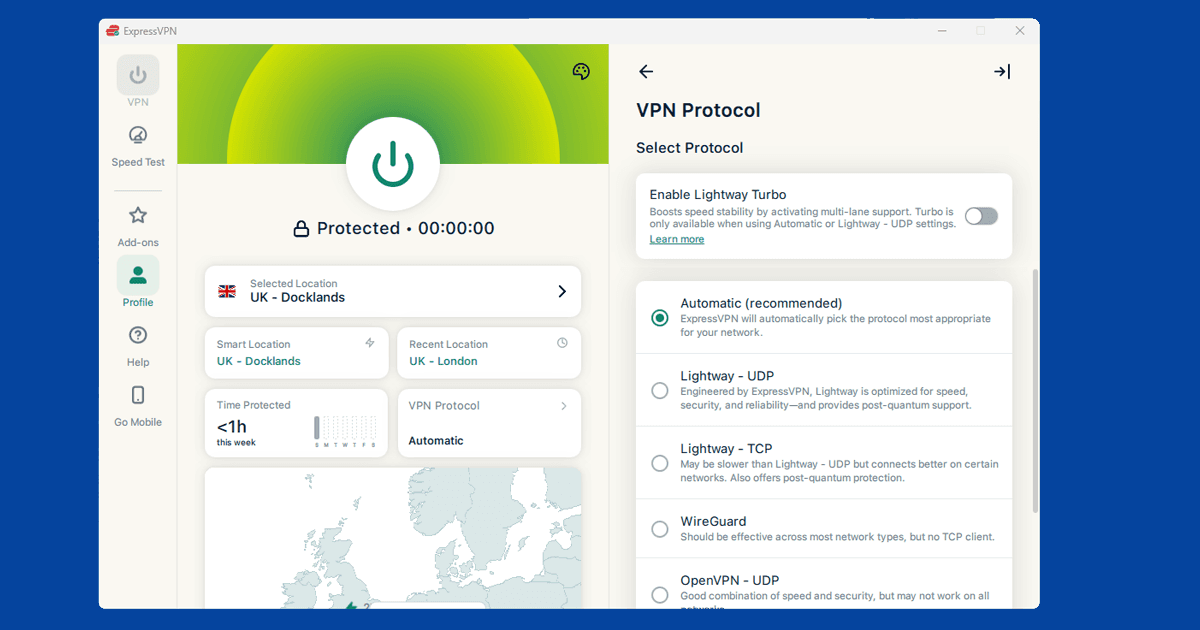
- ExpressVPN: Settings > Protocol > Lightway. This is ExpressVPN's WireGuard-based protocol and the best choice for India.
- NordVPN: Settings > VPN protocol > NordLynx. NordLynx is built on WireGuard.
- Other providers: look for Protocol or Connection in settings and pick WireGuard if it's available.
If WireGuard isn't listed in your app, OpenVPN UDP is a reasonable fallback. Our guide on changing your VPN protocol has step-by-step instructions for all the major apps.
Connect to a server closer to India
Most VPN servers are clustered in Europe and the US. If you're in India and connected to a London or New York server, your traffic is travelling thousands of miles each way, which adds delay and reduces speed. Try these locations instead:
- Singapore: the closest major VPN hub to India and usually the fastest option
- Hong Kong: another good nearby choice with strong server availability
- Japan: reliable for speed and useful if you need an East Asian IP
- UK: the right choice if you need a British IP address specifically, but expect slower speeds than Singapore
When speed matters, Singapore is almost always the answer. Our guide on switching VPN servers shows you how to find city-level options in your app.
Enable DNS leak protection
Some Indian ISPs intercept DNS requests before they reach your VPN. DNS is the background process your device uses to look up websites. When a carrier intercepts those lookups, it can see which sites you're visiting even when your VPN appears to be on.
Enabling DNS leak protection routes those lookups through the encrypted VPN tunnel, so your ISP can't intercept them.
- ExpressVPN: go to Settings and confirm DNS leak protection is toggled on.
- NordVPN: go to Settings > Advanced and check DNS leak protection is on.
- Other providers: look under Privacy or Advanced in your VPN settings.
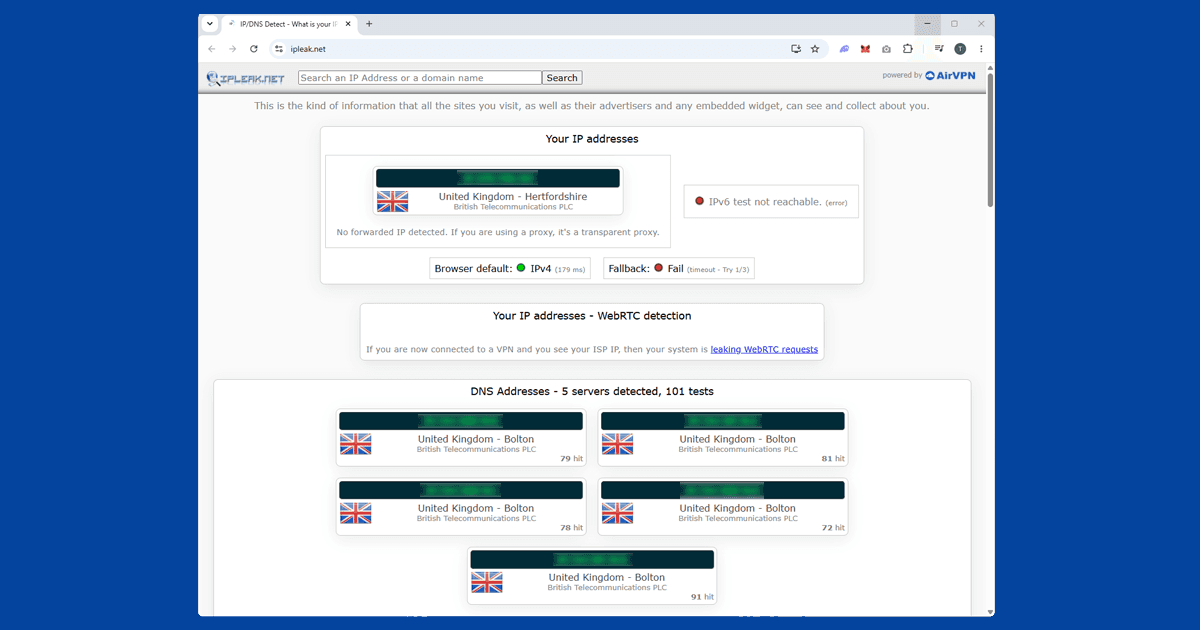
To check it's working, use our IP checker with your VPN connected. If your Indian ISP still shows up, the leak is still happening. Our DNS leak guide goes into more detail.
If your VPN keeps dropping on mobile data
India's main mobile carriers (Jio, Airtel, and Vodafone Idea) sometimes throttle or drop VPN connections on mobile data. If your VPN works fine on wi-fi but cuts out on mobile data, carrier throttling is the likely reason.
Two things to try. First, switch to WireGuard if you haven't already: it's harder for carriers to throttle because it uses less overhead. If that doesn't help, try TCP mode on port 443. Port 443 is the standard HTTPS port used by every secure website, so carriers almost never block it. Your VPN traffic looks like normal web browsing and carriers are much less likely to interfere.
In NordVPN, set the protocol to OpenVPN (TCP). In ExpressVPN, switch to Lightway TCP.
Watching Indian streaming services from outside India
If you're a UK viewer trying to watch JioHotstar or other Indian services, you need a VPN connected to an Indian IP address. Both NordVPN and ExpressVPN's virtual Indian servers give you a working Indian IP. Connect to the India server, check our IP checker confirms it's showing India, then open JioHotstar normally.
Our full guide on VPN not working with JioHotstar covers the streaming-specific fixes if you run into trouble there.