FixYourVPN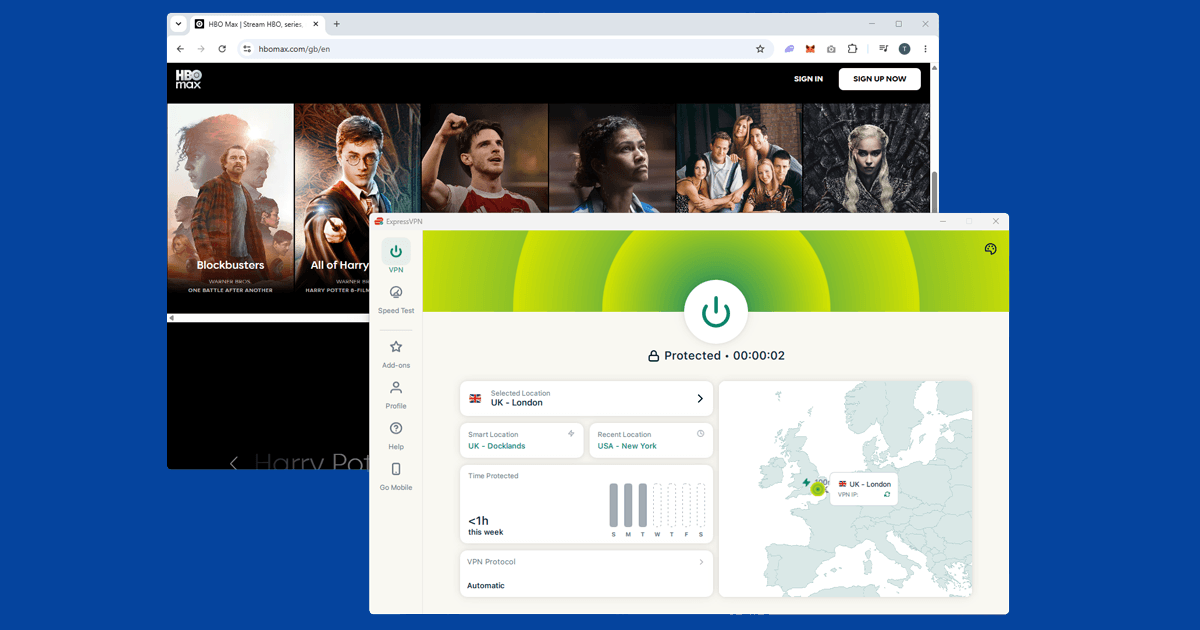
Whether you need a VPN depends on what you use the internet for. If you travel abroad, watch UK streaming services from overseas, regularly use public wi-fi, or want more privacy from your broadband provider, a VPN makes a real difference. If none of that applies right now, you might not need one. This guide goes through each situation honestly so you can work out where you stand.
What are you actually trying to do?
Plenty of people get a VPN and barely touch it. Others run one every day without thinking about it. The difference isn't how technical they are. It's whether any of the situations a VPN is designed for are situations they're actually in. It isn't a must-have for everyone, but for some people it earns its cost every week.
If you'd like a plain-English explanation of what a VPN actually does before reading on, start with What is a VPN? and then come back.
If you watch UK streaming services abroad
This is the most common reason people in the UK get a VPN, and it's the clearest case for having one. BBC iPlayer, ITVX, Channel 4, Sky Go, and Now TV are all locked to UK IP addresses. The moment you land somewhere else, they stop working. iPlayer shows a message saying it's only available in the UK due to rights issues, and there's no workaround short of a VPN.
A VPN connected to a UK server gives you a UK IP address, and that's what these services check. You appear to be at home, the geo-block clears, and you watch as normal. This works reliably with a quality paid VPN. It rarely works with a free one, because services like iPlayer actively identify and block VPN IP ranges, and free providers don't have the resources to keep up.
It works the other way too. If you want to access US Netflix, Hulu, Peacock, or Max from the UK, a VPN on a US server is how you do it. The US Netflix catalogue tends to be considerably larger than the UK version, with titles that don't always cross the Atlantic.
If you care about online privacy
Every time you browse, your internet provider, BT, Virgin Media, Sky, or whoever supplies your broadband, can see every domain you visit. Even on HTTPS sites, where the content of the page is private, the provider can still see which websites you're going to. In the UK, providers are required to retain certain connection data and share it with law enforcement agencies when requested.
A VPN shifts where your traffic goes. Instead of your internet provider seeing it, your VPN provider does. A reputable VPN with an independently audited no-logs policy is a strong signal that they don't store records of your activity. Your broadband provider, by contrast, has no such privacy commitment baked into their business model.
A VPN also hides your IP address from the websites you visit, which matters because advertisers use IP addresses as one of several signals to build a picture of your browsing habits. A VPN won't stop all tracking, since logged-in accounts and browser cookies are separate things, but it does reduce how much of your traffic can be traced back to you.
If you use public wi-fi regularly
Coffee shops, airports, hotel lobbies, train stations: any public wi-fi is a shared environment. On many open networks, traffic isn't encrypted at the network level, which means other devices on the same connection could potentially see what you're doing.
HTTPS protects the actual content of web pages, but it doesn't hide which sites you're visiting or when. And not every app handles encryption properly. A VPN encrypts everything from your device to the VPN server, making your traffic unreadable to anyone else on the same network.
If you travel for work, regularly use laptops in cafes, or often have work email open on hotel wi-fi, this is a genuine security benefit. We have specific guides for public wi-fi, hotel wi-fi, and university networks if you're running into problems.
If you travel internationally
Going abroad often creates two VPN needs at once: keeping access to services from home, and getting around internet restrictions in the country you're visiting. One VPN handles both.
Some countries block services you probably use every day. Google, YouTube, WhatsApp, Instagram, and major news sites are unavailable in China without a VPN. Even a short trip can mean losing access to the apps you rely on, which is more disruptive than it sounds. Get everything set up before you leave: download the app, create an account, and do a quick test at home. Some VPN apps are blocked in the same countries where they'd be most useful, so having it installed and working before you go makes a real difference. We also have guides for the UAE, Saudi Arabia, and India.
If you game online
Gaming is a less obvious reason to get a VPN, but there are a few situations where it genuinely helps. Some game servers and early releases are region-specific, going live in certain parts of the world before they reach the UK. Connecting through a server in that region can get you access earlier.
For some players, the bigger draw is hiding their IP address. In competitive multiplayer games, certain players use DDoS attacks to flood an opponent's connection and knock them offline. A VPN hides your real IP address, which removes the ability to target you. This is most relevant to high-ranked players in competitive titles where knocking someone offline mid-match is something that genuinely happens.
One thing to watch: a VPN adds a small amount of delay, especially if the server is far away. For gaming, it's worth connecting to a server close to the game's region and using WireGuard if your VPN offers it, since it tends to add the least overhead.
If you work remotely
Many companies require a VPN to access internal tools and systems from home. If that's you, your employer has probably already set one up. A work VPN is slightly different from a personal one: it routes your work traffic through the company's own servers so you can reach internal systems remotely, but it typically doesn't cover your personal browsing or anything you do on your own device.
A personal VPN covers everything else, and the two sit alongside each other without any issue. Most personal VPN apps support split tunnelling, which lets you send work traffic through the company VPN and your personal traffic through your own, both at the same time.
When you probably don't need one
If you mainly use the internet at home on a fixed broadband connection, don't travel abroad, only watch streaming services already available in the UK, and aren't particularly bothered about what your broadband provider can see, a VPN isn't going to make much difference to your daily life. That's a perfectly reasonable place to be. It's a useful tool for specific situations, not something everyone needs.
Whatever you decide, free VPNs are worth avoiding. Many make money by recording your browsing activity and selling it to third parties, which is the opposite of what you'd want. Some have been found injecting adverts into web pages or routing users' traffic through other users' devices without their knowledge. A paid VPN from a reputable provider typically costs a few pounds a month on an annual plan and covers all your devices.
Not everyone needs a VPN, and I'd rather say that plainly. The situations where it genuinely earns its keep are specific: you're travelling, you want to watch UK TV from abroad, you use public wi-fi regularly, or you care about what your broadband provider can see. If none of those apply to you right now, save your money.

The bottom line
Think back through the situations above. If any of them sounds familiar, a VPN is probably worth having. Watching UK TV from abroad, using public wi-fi regularly, travelling internationally, caring about what your broadband provider can see: any one of those is reason enough. It doesn't cost much and it doesn't take long to set up.
If none of those apply right now, there's no rush. If things change later, a trip, a new job, or just getting tired of being tracked, it's easy enough to add when you need it. Browse our troubleshooting guides for help with specific services, or see our VPN recommendations if you're ready to pick one.