FixYourVPN
Instagram gets blocked in two completely different ways, and the right fix depends on which one you're dealing with. If it's a school or work network, a VPN usually sorts it quickly. If it's a country-level ban, you need a specific protocol setting rather than just a different server. Knowing which situation you're in makes all the difference.
Network block or country ban? How to tell
Switch your phone to mobile data and try Instagram without a VPN. If it loads on mobile data but not on your current wi-fi, the wi-fi network is blocking it at the router level: a school, workplace, or hotel doing this as a policy. A standard VPN fixes this every time. If Instagram fails on both mobile data and wi-fi, it's likely a national block and needs a different approach.
In some countries Instagram is blocked at the national level, affecting every internet connection in the country. Standard VPN protocols are often blocked in those places too, which is why just switching servers doesn't always work.
Connect to a server in an unrestricted country
For school, work, and hotel blocks, connect your VPN to a server in the UK, Netherlands, Germany, or Switzerland before opening Instagram. Make sure you're using the full VPN app on your device rather than a browser extension: extensions only protect traffic inside the browser and won't cover the Instagram app.
NordVPN and ExpressVPN are our top picks. Both have large server networks in unrestricted countries and reliable connections.
Connect your VPN before opening Instagram
If Instagram was already open when you turned your VPN on, it may have connected using your regular internet first. The VPN didn't get a chance to cover it.
- On iPhone: close Instagram by swiping it away in the app switcher. Connect your VPN, then reopen Instagram.
- On Android: close Instagram in the recent apps view. Connect your VPN, then reopen it.
- In a browser: close any Instagram tabs, connect your VPN, then open a fresh tab and go to instagram.com.
The order matters: VPN on, then Instagram. Not the other way around.
Switch protocol if you're in a censored country
If you're travelling to a censored country, install and configure your VPN before you arrive. VPN provider websites are often blocked inside these countries, and setting one up after you land can be very difficult.
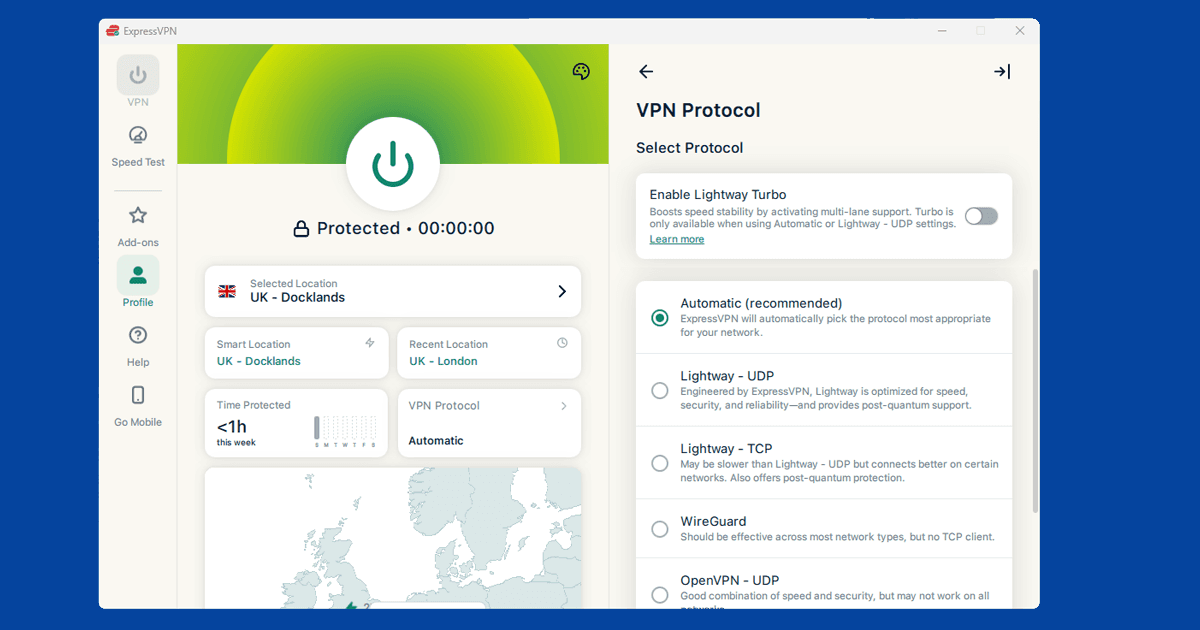
In heavily censored countries, internet providers use deep packet inspection to detect and block standard VPN connections. Switching to Lightway in ExpressVPN, or OpenVPN TCP on port 443 in NordVPN, makes your VPN traffic look like ordinary HTTPS browsing, which gets past the detection. Our guide on changing your VPN protocol has the steps for each app.
Check your split tunnelling settings
Some VPN apps let you choose which apps go through the VPN and which connect to the internet normally. This is called split tunnelling. If you have it turned on, check that Instagram is in the VPN list rather than the bypass list.
It's a surprisingly common reason Instagram works on mobile data but seems unaffected by the VPN: split tunnelling is set up for other apps but Instagram ends up being excluded. Look for Split Tunnelling or App Exclusions in your VPN app's settings and make sure Instagram isn't listed as an app that bypasses the VPN.
Clear the Instagram app cache
If Instagram was open on this device before you turned the VPN on, it may have saved your location and still be using it. On Android, go to Settings > Apps > Instagram > Clear Cache. On iPhone, go to Settings > General > iPhone Storage, find Instagram, and tap Offload App: this clears cached data without removing your login. If that doesn't fix it, delete and reinstall the app, then connect your VPN before opening Instagram again.
Check your VPN is actually working
If Instagram is still blocked with your VPN on, use our IP address checker to confirm it's working. If it shows a location in an unrestricted country, your VPN is connected correctly: something else is causing the block, likely saved location data or the wrong protocol. If it shows your real location, switch to a different server and try again.
What you can use a VPN with Instagram for
The most common reasons people use a VPN with Instagram are accessing it on a restricted school or work network, keeping their connection private on public wi-fi (airports, coffee shops, hotels), and staying connected when travelling to countries where Instagram is blocked.
A VPN hides the fact that you're using Instagram from the network you're on, which is what matters in restricted environments. Instagram's own end-to-end features work the same whether a VPN is active or not. A VPN doesn't affect what Instagram can see about your account: it only changes what your local network can see about your traffic.