FixYourVPN
BritBox UK is only available to viewers with a UK IP address, so you'll need a VPN connected to a UK server to watch it from abroad. The good news is that BritBox is one of the easier UK services to unblock: it doesn't use the same level of VPN detection as BBC iPlayer, so a straightforward VPN connection is usually all you need.
BritBox UK versus BritBox US: they're not the same service
Before you get started, it's worth knowing that BritBox has different versions in different countries, and they're not interchangeable. BritBox UK is run by the BBC and ITV and carries a much deeper archive of British television, including the full classic Doctor Who run, the complete Dad's Army, every series of Last of the Summer Wine, and decades of BBC and ITV drama. BritBox US is a separate service run by AMC Networks with its own catalogue.
Our guide is about BritBox UK, the BBC and ITV service at britbox.com, watched from outside the UK. If you're in the US and just want BritBox US, you don't need a VPN for that.
What you need before you start
- A BritBox UK subscription. BritBox content in the UK is available through an ITVX Premium subscription, at £5.99 a month or £59.99 a year. If you have a UK bank card, you can subscribe at britbox.com or through ITVX directly. No UK bank card? Subscribing through Amazon Prime Video Channels or Apple TV Channels lets you pay with your existing Amazon or Apple account. The content is identical whichever way you go.
- A VPN with UK servers. NordVPN is our top pick for BritBox: it has a large UK server network with regularly refreshed IP addresses. ExpressVPN is equally reliable. Because BritBox is less strict about VPN detection than iPlayer, most decent paid VPNs will work without any trouble.
How to watch BritBox from outside the UK
- Connect your VPN to a UK server before you open BritBox. If you visit britbox.com without a VPN running first, it logs your real location for that session and may block you even after you connect.
- Open BritBox in a private or incognito window. Your browser stores cookies from previous visits, and those can give away your real location even when your VPN is now showing a UK address. A private window starts fresh.
- Sign in to your BritBox UK account. Make sure you're on britbox.com and not being quietly redirected to a regional version of the site.
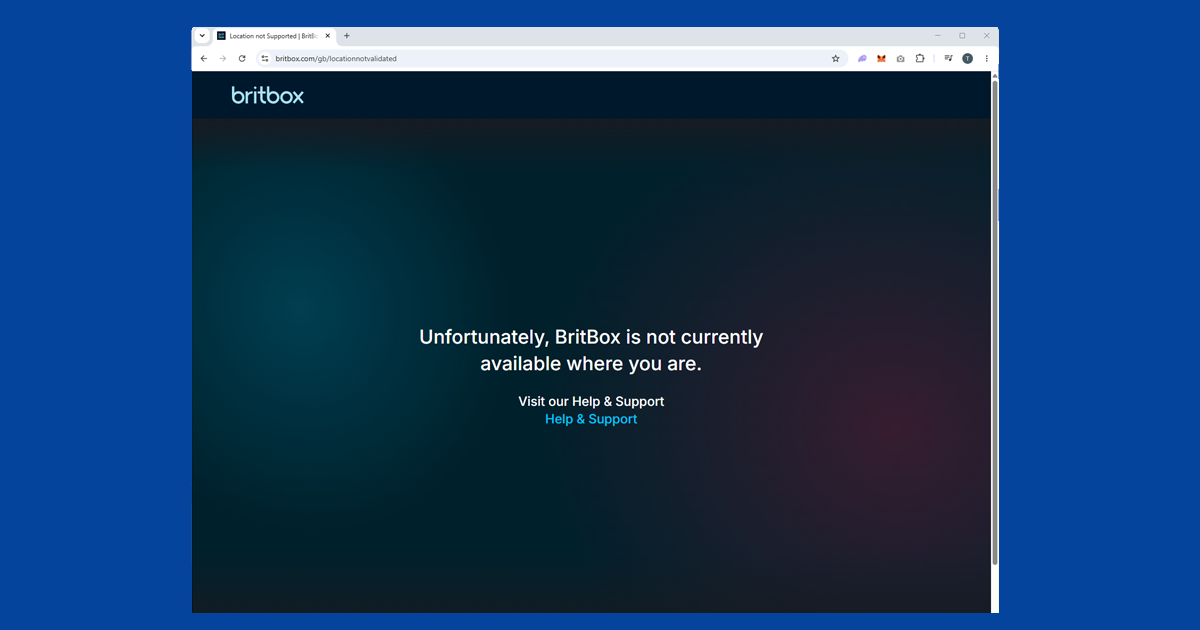
- If you see a region error, switch to a different UK server. BritBox does block some VPN servers, but switching to a different UK city almost always fixes it. London and Manchester are the most reliable starting points: if one isn't working, try the other. Edinburgh and Birmingham are also worth trying if neither of those connects cleanly.
If you've been through all four steps and it's still not working, check for a DNS leak (sometimes your device sends location data outside the VPN without you realising) or try switching your VPN protocol.
What's on BritBox UK that isn't on iPlayer or ITVX
BritBox's main strength is its archive. It's home to shows that have long since left iPlayer and ITVX, older series that never made it to either platform, and BritBox Originals made exclusively for the service. Highlights include the complete classic Doctor Who run from 1963 to 1989, an EastEnders back-catalogue that goes much further back than iPlayer's, the full runs of Dad's Army and Last of the Summer Wine, and a huge collection of classic BBC and ITV drama and comedy.
BritBox Originals are new dramas and comedies made specifically for the service and available nowhere else, so there's something current alongside all the archive content.
If you want to watch BBC or ITV shows as they air, iPlayer and ITVX are still the places for that. BritBox is really for people who want to go deeper into the archive or watch exclusives that don't appear anywhere else.
Using the BritBox app on phones, tablets, and streaming devices
BritBox has apps for iPhone, Android, Apple TV, Amazon Fire TV, and Roku. On a phone or tablet, make sure you're using the full VPN app rather than a browser extension: a browser extension only covers traffic inside your browser and won't protect the BritBox app. Connect the VPN first, then open BritBox.
On Apple TV, Fire TV Stick, and Chromecast with Google TV, you can install a VPN app directly on the device. Most major providers have dedicated apps for all three. Connect to a UK server, then launch BritBox.
BritBox on smart TVs
Most built-in smart TV systems (Samsung, LG, and similar) don't let you install a VPN app directly. You have two options: install the VPN on your router so everything on your home network goes through a UK connection automatically, or connect the TV to a phone or laptop hotspot that's already running the VPN. Either way, the key is making sure BritBox sees a UK IP address before you try to play anything.