FixYourVPN
Quick note on the name: the service is officially called NOW. Sky dropped the "TV" from its brand name a while back, but most people still call it Now TV, and that's how we've referred to it throughout this guide since it's what most people search for.
Now TV's main way of detecting VPNs is checking your IP address. If it looks like it's coming from a server farm rather than someone's home broadband, it gets blocked. DNS requests are also checked as a secondary layer, so switching servers alone sometimes isn't enough if there's a DNS leak at the same time.
Fix 1: Switch to a different UK server
If Now TV is showing a location error or refusing to play, try a different UK server in your VPN app. Now TV regularly updates its list of blocked VPN servers, so it's often a matter of finding one that hasn't been flagged yet. Try two or three before moving on to other fixes. London servers are a good starting point; if those are blocked, try Manchester, Birmingham, or Edinburgh.
If your VPN drops mid-session, it can reconnect to a non-UK server without telling you, which means Now TV suddenly sees your real location. Enabling your VPN's kill switch prevents this: if the connection drops, the kill switch pauses your internet until you're back on a UK server.
Fix 2: Clear cookies and open a private window
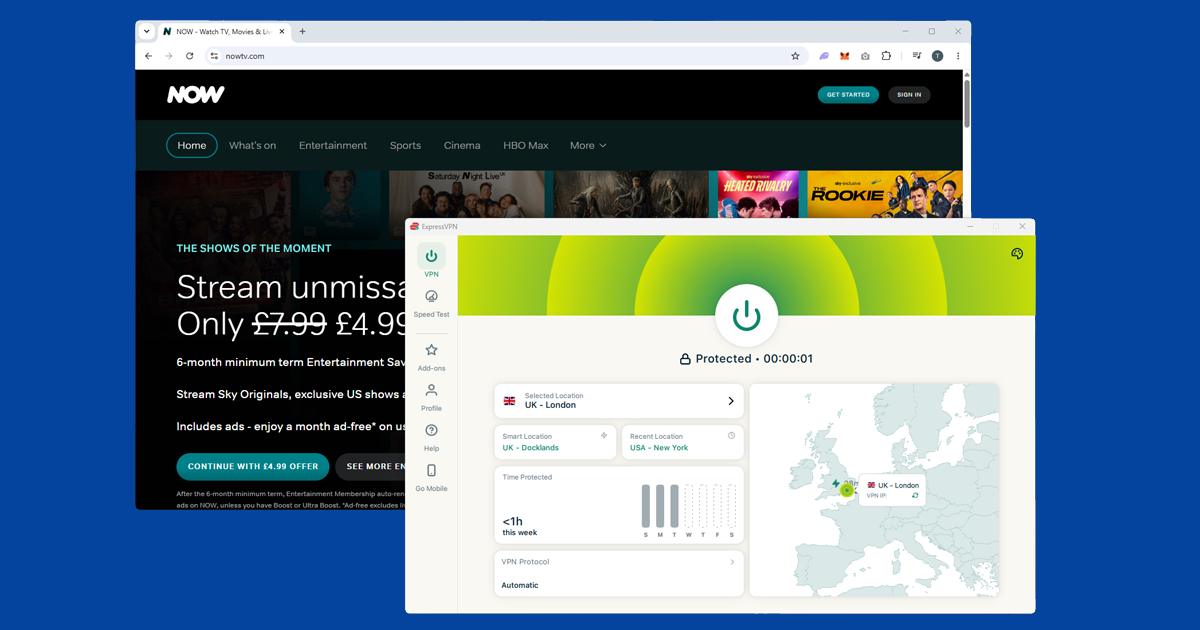
If you've used Now TV before without a VPN, your browser may have stored location data from that session. Even with a VPN active, those cached cookies can cause playback to fail. Connect your VPN first, then open Now TV in a private or incognito window. Private windows start with a clean slate, so Now TV sees you as a fresh UK visitor.
If Now TV plays in private mode but not your regular browser, cookies are the cause. Clear them for now.com specifically without wiping all your other saved logins:
- Chrome: SettingsPrivacy and securityCookies and other site dataSee all site data and permissions, search for now.com and remove.
- Firefox: hamburger menuSettingsPrivacy & SecurityManage Data, search for now.com and remove.
- Safari: SafariSettingsPrivacyManage Website Data, search for now.com and remove.
- Edge: three-dot menuSettingsCookies and site permissionsManage and delete cookies and site data, search for now.com and remove.
If you're using the Now TV app rather than a browser, log out completely, close the app, reconnect your VPN to a UK server, then sign back in. This gives Now TV a fresh look at your connection with the VPN already on.
Fix 3: Check your VPN is showing a UK location (and run a DNS leak test)
Before going further, spend thirty seconds confirming your VPN is actually doing what it should. Open our IP address checker with your VPN switched on. If it shows a UK location, your IP is fine and something else is causing the block. If it shows your real location, switch to a different UK server and check again.
If the checker shows UK but Now TV is still blocking you, run a DNS leak test. A DNS leak happens when your device's lookup requests slip outside the VPN tunnel, revealing your real location even though your IP looks correct. If your home internet provider shows up in the results, go into your VPN app's settings, enable DNS leak protection, reconnect, and try Now TV again. If several UK servers all fail, the issue is more likely your VPN provider than the individual servers. Our recommended VPNs covers options that work reliably with Now TV.
Fix 4: Change your VPN protocol
If you've switched servers and cleared cookies and Now TV is still blocking you, try changing your VPN protocol. WireGuard is the fastest option and worth switching to if you haven't already. It tends to handle streaming blocks better than older protocols like OpenVPN.
Open your VPN app's settings and look for a Protocol or Connection section. Select WireGuard from the list. On NordVPN it's called NordLynx, and on ExpressVPN it's called Lightway: both are the same thing under a different name. Reconnect and try Now TV again. Our guide on changing your VPN protocol covers all the major apps.
Fix 5: Try the Now TV app instead of a browser
If the website version isn't getting you in, try the Now TV app, or vice versa. They can behave differently with a VPN, so it's worth switching between them if one isn't working. The Now TV app is available on Fire TV Stick, Android TV, iOS, Android, Samsung smart TVs, LG smart TVs, Apple TV, PlayStation 4 and 5, and Xbox One and Xbox Series X/S.
On mobile, make sure you're using the full VPN app rather than a browser extension. A browser extension only protects traffic inside your browser, not other apps.
Watching Now TV on a smart TV
Most smart TV operating systems don't support VPN apps directly, but you have a few options:
- Router VPN: Install the VPN on your router. All devices on your home network, including the TV, then automatically go through a UK connection, with no setup needed on the TV itself.
- Laptop hotspot: Connect your laptop to a UK VPN server, then share that connection as a wi-fi hotspot. Connect the TV to the hotspot network instead of your regular router.
- Cast from a laptop: Open Now TV in Chrome on your VPN-connected computer and cast the tab to a Chromecast or smart TV. Now TV sees the computer's VPN IP, so the TV gets the stream without needing its own VPN setup.
Fire TV Stick and Android TV are an exception: you can install most VPN apps directly from the app store on these devices. Connect to a UK server and open Now TV normally. PlayStation and Xbox both have Now TV apps, but neither console supports VPN apps directly, so the router approach works best for consoles.
Now TV and Sky Go: what's the difference?
Now TV (officially called NOW, though most people still use the old name) is Sky's contract-free streaming service. Unlike Sky Go, which requires an existing Sky TV or broadband subscription, Now TV is available to anyone: you subscribe to individual content passes rather than a full Sky package. Entertainment covers Sky's TV shows, Cinema covers Sky Cinema films, Sports covers live Sky Sports, and Hayu is a reality TV add-on.
Both are UK-only and check IP addresses against blocked server lists. The main difference is that Now TV doesn't also check your billing address the way Sky Go does, which generally makes it a little easier to get working with a VPN.
What's on Now TV
Now TV carries Sky's content library across its passes. The Entertainment pass includes Sky Atlantic shows like Succession, House of the Dragon, and The White Lotus, plus US imports and Sky Max shows. Cinema gives you the Sky Cinema catalogue, including new releases and a wide selection of films. Sports covers live Premier League, Formula 1, boxing, and cricket through Sky Sports. The Hayu add-on covers US reality TV, including Real Housewives and Vanderpump Rules.
You can subscribe to just the pass you need. If you're abroad for a short period, Now TV's rolling monthly contracts mean you're not locked in. Cancel before the month renews and you won't be charged again.