FixYourVPN
TNT Sports can tell when you're using a VPN and blocks access when it does. It keeps a list of VPN servers it has seen before, and it also checks a second signal in the background to confirm your location. The fixes below go through the most common reasons it blocks you, in order, starting with the quickest.
Switch to a different UK server
If Max is showing a location error when you try to watch TNT Sports, the server you're connected to has almost certainly been blocked. Open your VPN app, find the list of UK servers, and try a different one. Try two or three before moving on. London and Manchester servers tend to work well for UK streaming, so if one city isn't working, try the other.
For live events like Champions League nights, Premier League fixtures, and UFC cards, this matters more than for on-demand content. If your VPN connection drops mid-match and reconnects to a different server, TNT Sports can detect the change and cut the stream. To prevent this, turn on your VPN's Kill Switch. The kill switch pauses your internet if the VPN drops, so your real location is never briefly exposed. Look for it in your VPN app's settings.

Check your VPN is actually working
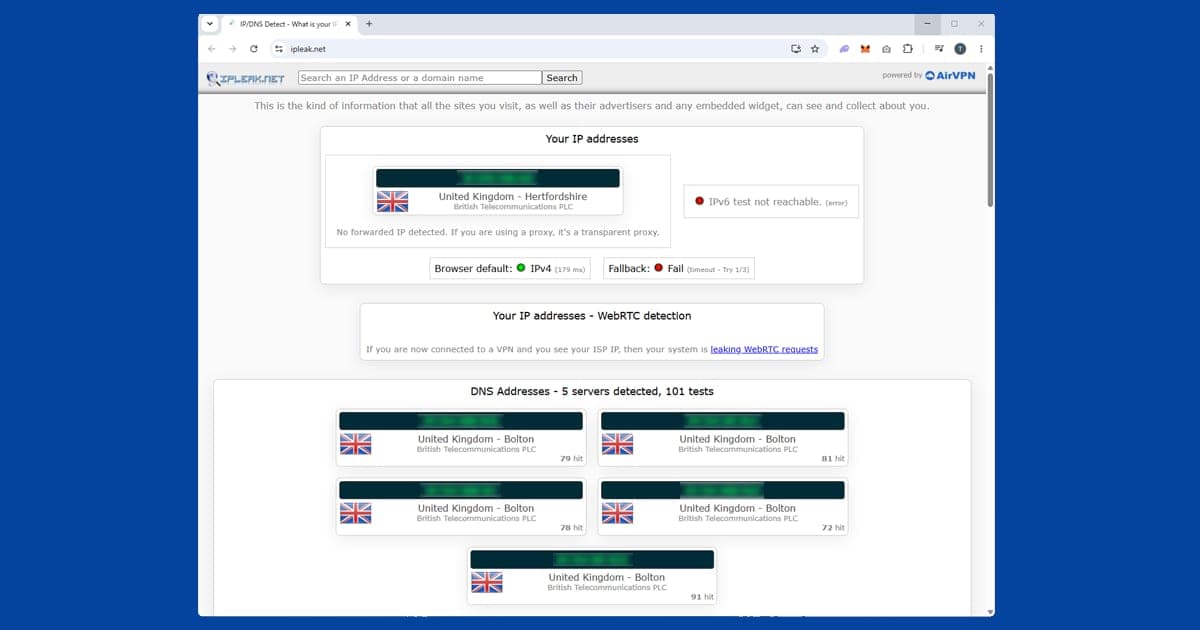
Sometimes a VPN appears to be on but isn't actually hiding your location. Use our IP address checker with your VPN connected: it will tell you what location Max can see. If it shows a UK location, your VPN is working and the block is something else. If it shows your real location, your VPN isn't doing its job. Try switching to a different UK server first, and if that doesn't help, it may be time to switch to a more reliable VPN. See our recommended VPNs if you need a better option.
Change your VPN protocol
If switching servers hasn't fixed it, try changing how your VPN connects. VPN apps can use different methods to create a secure connection, and some work better with streaming services than others. The one to try is called WireGuard: it's faster and better at getting past streaming blocks than the older options. It also tends to improve stream quality for live sport.
Open your VPN app's settings and look for a section called Protocol or Connection. Select WireGuard from the list. On NordVPN it's called NordLynx, and on ExpressVPN it's called Lightway: both are the same thing under a different name. Reconnect after changing it, then try TNT Sports again. Our guide on changing your VPN protocol covers all the major apps.
Check your subscription
TNT Sports requires an active UK subscription: a valid UK VPN IP alone isn't enough. In the UK, TNT Sports is available through the Max app (formerly HBO Max), or as an add-on through Sky, EE TV, Virgin Media, or Amazon Prime Video. If your subscription has lapsed or a payment has failed, TNT Sports will show an error that can look similar to a geo-restriction message.
Make sure you're logging in with the correct account for your subscription type. If you subscribe through EE TV, use your EE credentials rather than a separate TNT Sports login. TNT Sports content is also accessible through the Discovery+ app with a qualifying subscription: if TNT Sports is giving you trouble, try opening Discovery+ and navigating to the sports section there instead.
Use the Max app for live sport
TNT Sports live events stream through the Max app, not the TNT Sports app itself. The TNT Sports app covers news, stats, and highlights, but for Champions League matches, Premier League fixtures, UFC cards, and all other live content, Max is where you need to be. If you've been trying to watch live sport through the TNT Sports website or app, you need to use Max instead as that is where the live content actually streams. The VPN fixes above still apply: you need a working UK VPN connection on Max, not the TNT Sports app.
The Max app is available on iOS, Android, Fire TV Stick, Android TV, Apple TV, Samsung smart TVs, LG smart TVs, PlayStation 4 and 5, and Xbox One and Series X/S. On your phone, make sure you're using the full VPN app rather than a browser extension. A browser extension only protects traffic inside your browser and won't cover the Max app.
Clear cookies and use a private window on Max
If you've visited Max before without a VPN, your browser may have stored session data that includes your real location. Even with a VPN active, those cached cookies can cause playback to fail. Connect your VPN first, then open Max in a private or incognito window. Private windows start with no stored location data.
If Max plays in private mode but not your regular browser, cookies are the problem. Clear them without wiping your other saved logins:
- Chrome: three-dot menu SettingsPrivacy and securityDelete browsing data
- Firefox: hamburger menu SettingsPrivacy & SecurityClear Data
- Safari (Mac): SafariSettingsPrivacyManage Website Data
- Safari (iPhone/iPad): open the Settings app AppsSafariClear History and Website Data
- Edge: three-dot menu SettingsPrivacy, search, and servicesClear browsing data
TNT Sports on a smart TV
Since TNT Sports live content streams through the Max app, you need Max installed rather than the TNT Sports app for live events. Max is available on Fire TV Stick, Android TV, and Apple TV, all of which support VPN apps directly. Install your VPN, connect to a UK server, and open Max. PlayStation 4/5 and Xbox One/Series X/S also have the Max app, but consoles don't support VPN apps natively, so the router approach is the cleanest solution for consoles.
For built-in smart TV operating systems like Samsung Tizen and LG webOS that don't allow VPN apps, the options are:
- Router VPN: Install the VPN on your router. All devices on your home network, including the TV, then automatically go through a UK connection.
- Laptop hotspot: Connect your laptop to a UK VPN server, then share that connection as a wi-fi hotspot. Connect the TV to the hotspot instead of your regular router.
- Cast from a laptop: Open TNT Sports in Chrome on your VPN-connected computer and cast the tab to a Chromecast or smart TV. TNT Sports sees the computer's UK VPN IP, so the TV gets the stream without needing its own VPN setup.
Live sport and VPN performance
Live sport is more demanding on a VPN connection than on-demand video. If you can access the content but you're getting buffering or quality drops, these steps help:
- Switch to WireGuard in your VPN app's settings if you haven't already. It's the fastest connection method available and makes a noticeable difference to live streaming. Our protocol guide shows you how to switch in the major apps.
- Pick a UK server that's physically close to you. If you're in Scotland, a Manchester or London server will be quicker than one at the opposite end of the country.
- Try a less busy server. Some VPN apps show how busy each server is: if yours does, pick one that's below 50% capacity. If not, look for a "best server" or "recommended" option, which usually picks the quietest one automatically.
- Close other apps that use a lot of internet while you're watching. Video calls, large downloads, and gaming all share the same connection and slow things down.
What's on TNT Sports
TNT Sports holds the UK broadcast rights for the UEFA Champions League and Europa League, covering every match across both competitions including live games, highlights, and the finals. It also carries a package of Premier League fixtures each season alongside Sky Sports, making it one of the two main homes for top-flight English football in the UK.
Beyond football: UFC events (both PPV cards and Fight Night), Formula E, MotoGP, boxing, cycling's Grand Tours including the Tour de France, and rugby. The rebrand from BT Sport in 2023 didn't change the content rights. If you were a BT Sport viewer, everything you watched is still here, and your old BT Sport login still works.
TNT Sports compared to other regional sports platforms
If you split your time between the UK and elsewhere, it's worth knowing how TNT Sports fits alongside other sports services you might also use a VPN for. DAZN and ESPN+ both go further than TNT Sports on detection, checking DNS requests as well as your IP address, and DAZN additionally requires your account's registered country to match the server you connect from. beIN Sports is the most fragmented of the bunch: it isn't one global service at all but several separate regional platforms (MENA, US, France, Australia), each tied to its own account. TNT Sports is comparatively straightforward: match a UK server to a UK subscription and you're generally in, though like the others, it checks live matches more closely than on-demand highlights.
TNT Sports moved to HBO Max in 2026
If you've been looking for TNT Sports in the discovery+ app, it isn't there any more. On 26 March 2026, HBO Max launched in the UK and Ireland and became the streaming home of TNT Sports, with all the live sport that used to stream on discovery+ moving across. That includes the Premier League, the Champions League, UFC, MotoGP, Grand Slam tennis and cycling's Grand Tours.
So when this guide mentions Max, it means the HBO Max app. If you get TNT Sports through Sky or EE, your access moves over; if you paid discovery+ directly, you can sign in to HBO Max with the same details. TNT Sports is still sold through other partners too, so check how you pay before you assume the app is the problem.
For VPN users, the fixes don't change: UK server first, then open HBO Max, and switch to another UK server if a match won't start. If you're following English football from abroad, our Premier League abroad guide shows which matches are on which service, and our live sport hub covers the rest.