FixYourVPN
If you've heard people mention VPNs but aren't quite sure what one does, you're not alone. The short version: a VPN hides your internet address and encrypts your connection so nobody else can see what you're doing online. This guide explains how it all works, without the jargon.
The simple version
A VPN (Virtual Private Network) is software that does two things: it hides your real IP address by routing your internet traffic through one of its own servers, and it encrypts that traffic so nobody in between can see what you're doing online.
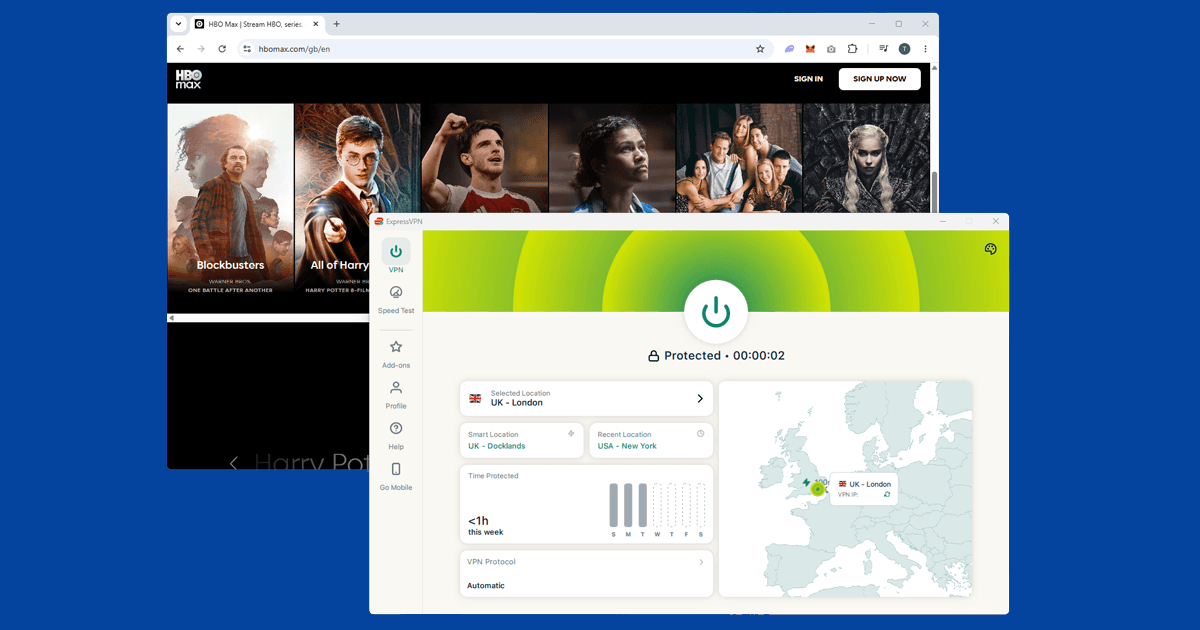
Think of it as a private tunnel. When you switch a VPN on, all your internet activity goes into that tunnel and comes out at a server the VPN company controls. Websites and streaming services see the VPN server's IP address, not yours. If the server is in the UK, you appear to be in the UK. If it's in the US, you appear to be in the US. That's really the whole idea.
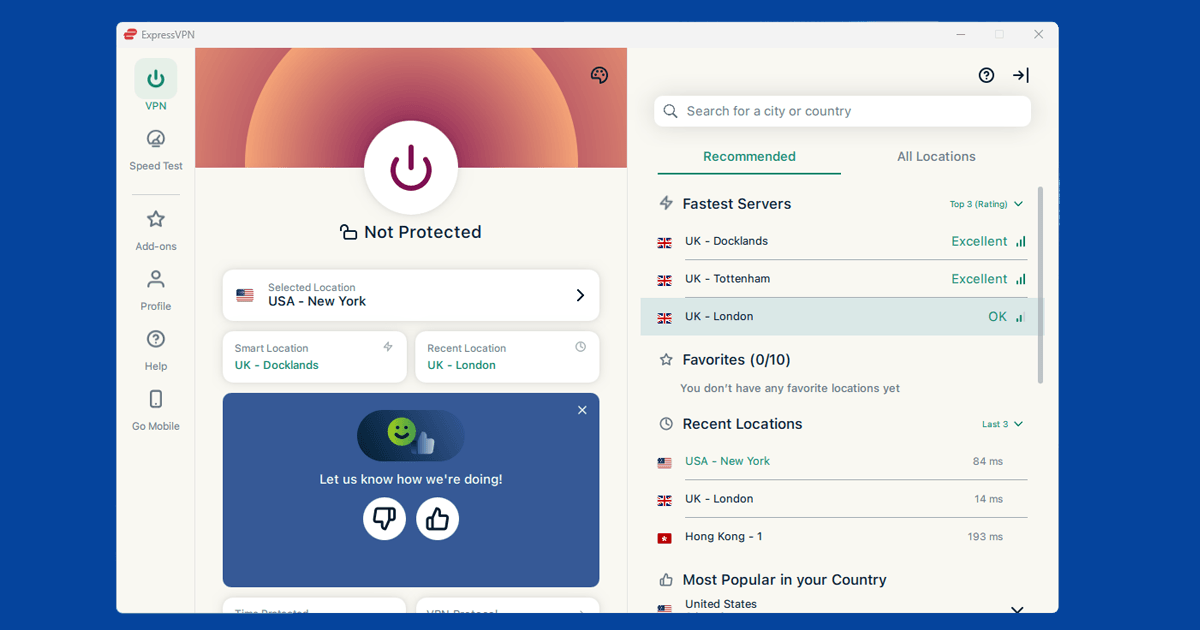
You don't need to be technical to use one. Modern VPN apps have a single button: connect. Pick a country, press it, and the rest happens automatically.
What's an IP address?
An IP address is a number your internet provider assigns to your connection. Every device that goes online gets one, and websites can use it to work out roughly where you are in the world, sometimes down to city level. Think of it like a return address on an envelope: the website you visit can see where the request came from.
When a streaming service like BBC iPlayer says it's only available in the UK, what it's actually checking is your IP address. If it looks like a UK address, you're in. If not, you're blocked. A VPN gives you an IP address from wherever its server is, which is why it's the standard fix for that kind of geo-block.
What a VPN actually does to your connection
Three things happen the moment you connect to a VPN:
- Your IP address changes. Websites see the VPN server's address instead of your own. This is what lets you access geo-restricted content, since streaming services use your IP address to work out where you are in the world.
- Your traffic is encrypted. Everything you send and receive is scrambled before it leaves your device. Your internet provider can no longer see which sites you visit, and anyone else on the same public wi-fi network can't read your data either.
- Your apparent location changes. Pick a UK server and UK streaming services think you're at home. Pick a US server and US services see you as stateside. That's the geo-restriction fix in practice.
Your internet provider, whether that's BT, Sky, Virgin Media, or anyone else, can see you're connected to a VPN. What they can't see is what you're actually doing through it.
What people use VPNs for
Streaming from abroad. This is the most common reason people in the UK get a VPN. Services like BBC iPlayer, ITVX, and Sky Go are only available with a UK IP address. If you're on holiday and want to keep watching them, a VPN connected to a UK server is the fix. It works the other way too: US Netflix has a much larger catalogue than the UK version, and a US server lets you see the American library.
Privacy on public wi-fi. Coffee shops, airports, and hotel lobbies often have open wi-fi with no encryption, which makes it possible for others on the same network to read your traffic. A VPN encrypts everything before it leaves your device, so your data is unreadable to anyone else on that connection. See our guide on VPNs on public wi-fi for more.
Privacy from your internet provider. Without a VPN, your broadband provider can see every website you visit, even if they can't read the content of encrypted pages. A VPN means all they see is an encrypted connection to a VPN server. For a full look at what makes a VPN provider trustworthy, see Are VPNs safe?
Travelling internationally. Some countries block websites and apps that you probably use every day. Google, WhatsApp, Instagram, and major news sites are unavailable in places like China without a VPN. If you're heading somewhere with restricted internet, set up your VPN and test it before you leave. Some VPN apps are blocked in those same countries, so it's worth getting everything installed and working at home first.
Remote work. Many companies require employees to connect via VPN to reach internal tools and systems. That's a slightly different setup, one that routes you into the company's private network rather than simply changing your apparent location. If your employer has issued you one, you've already used a VPN.
What a VPN won't do
A VPN does a lot, but it doesn't do everything. Here's what it can't help with:
- It won't make you anonymous. If you're signed into Google, Facebook, or any other account, that service still knows who you are. A VPN hides your IP address, not your identity. Staying logged into accounts means those services can still identify you regardless.
- It won't protect you from malware. A VPN encrypts your connection in transit. It doesn't scan downloads, block malicious links, or stop you from accidentally installing something harmful.
- It won't guarantee access to every streaming service. Services like BBC iPlayer actively try to detect and block VPN connections. A good paid VPN keeps its server list updated to stay ahead of those blocks, but no VPN can guarantee access to every service at all times. Switching to a different server usually sorts it out when one gets blocked.
- It can slow your connection slightly. Your traffic takes a longer route, which adds a small amount of delay. With a good paid VPN and a decent broadband connection, this is usually unnoticeable for everyday streaming and browsing. Free VPNs tend to be significantly slower.
- Free VPNs often come with real trade-offs. Many free VPN services make money by collecting and selling your browsing data, which defeats the whole point. See exactly what free VPNs do instead.
If you're weighing up whether you actually need a VPN, our guide walks through it honestly: Do I need a VPN?
Is it hard to set up?
Not at all. VPNs used to be complicated, but modern apps are genuinely simple. You download the app, create an account, pick a server location, and press connect. Most people are up and running within a few minutes.
The apps look and work the same on Windows, Mac, iPhone, and Android. One subscription covers multiple devices, so you can protect your phone, laptop, and tablet without separate accounts. If anything goes wrong, our troubleshooting guides cover every common problem by service and device.
Which VPN should you get?
Most people care about three things: whether it unblocks streaming services reliably, how fast it is, and what it costs. Our top picks are NordVPN (consistently unblocks iPlayer, Netflix, and Disney+), ExpressVPN (fastest in our testing, especially reliable in countries with internet restrictions), and PureVPN (the most affordable of the three without cutting corners on the essentials).
All three come with a money-back guarantee of at least 30 days, so you can test before committing. Our full VPN reviews cover each one in detail. If you're not sure whether you need one at all, Do I Need a VPN? breaks down every real-world use case.