FixYourVPN

If your VPN isn't working on Twitch, what's happening depends on the type of restriction you're running into. Most Twitch content is free and available worldwide, so VPN issues here usually come down to one of three things: a geo-blocked stream, audio that's been muted in your region, or Twitch being blocked on your network entirely. This guide covers all three.
What's geo-restricted on Twitch
Twitch is available in most countries, but not all of its content is accessible everywhere. Three types of restrictions come up most often:
- Geo-blocked streams: Some broadcasters restrict streams to specific countries, usually because of regional rights deals. Sports content is the most common example: a broadcaster with regional sports rights may only be allowed to air to viewers in certain territories.
- VOD content with muted audio: Twitch VODs often have licensed music muted or removed for certain regions due to music rights restrictions. A VPN won't restore already-muted audio since the content is removed on Twitch's end, but switching regions can sometimes show you a different version of a VOD.
- Twitch blocked at the network level: In some countries, including China, and on certain corporate and school networks, Twitch itself is blocked entirely. This requires a specific protocol setting, not just a standard VPN connection.
Twitch's geo-detection is primarily IP-based and less aggressive than services like Netflix or BBC iPlayer. A server switch in the right country is usually enough to sort it.
Fix 1: Switch to a server in the right country
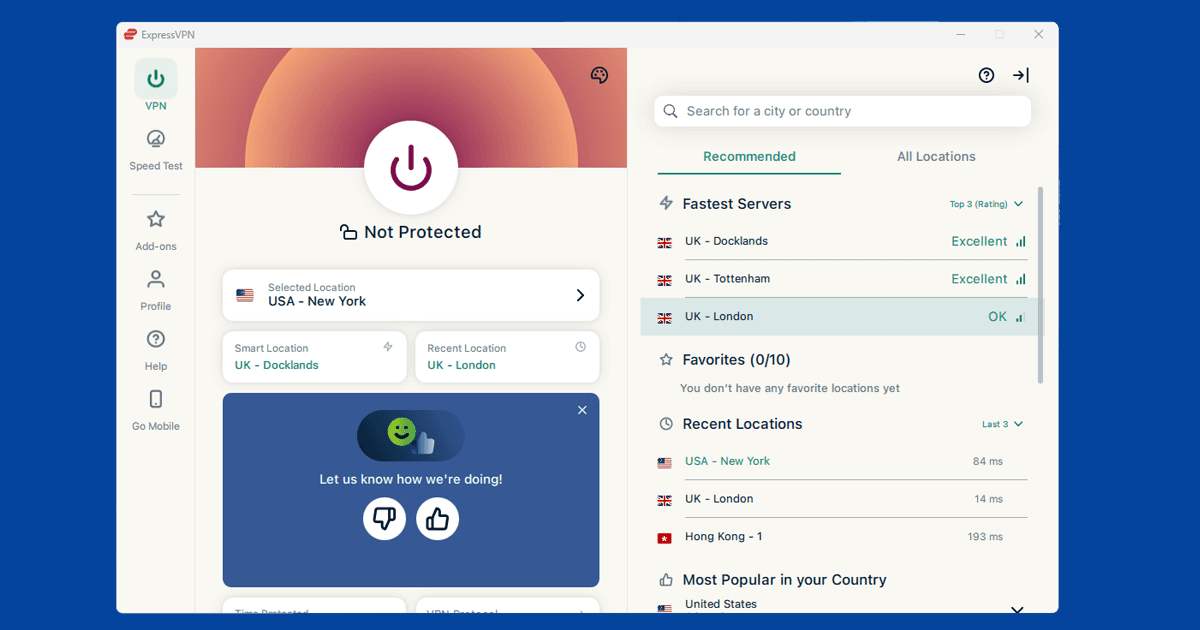
If a stream or VOD is restricted where you are, connect your VPN to a server in the country where the content is available, then refresh Twitch. Twitch checks your IP address to determine your region, so a server in the right country will usually get you in. In NordVPN, search for the target country in the app and pick any server there. In ExpressVPN, choose the country from the server list. See our guide on switching VPN servers for step-by-step instructions.
If you're not sure which country a stream is restricted to, check the channel's page or stream description. Broadcasters with regional rights usually mention which territories they can air to.
Fix 2: Try a different server
If Twitch is still showing a restriction after connecting to the right country, switch to a different server within the same country and try again. Twitch's detection is IP-based, so it can only block servers it has already identified. A server it hasn't flagged yet will usually get through. Try two or three different servers in the same country before moving on.
Fix 3: Clear cookies and open a private window
If you've used Twitch before without a VPN, your browser may have stored location data from that session. Clear Twitch cookies and open a private window after connecting your VPN to start fresh.
- Chrome: three-dot menu Settings Privacy and security Clear browsing data. Tick Cookies and set range to All time.
- Firefox: hamburger menu Settings Privacy & Security Clear Data.
- Safari: Safari Settings Privacy Manage Website Data Remove All.
- Edge: three-dot menu Settings Privacy, search, and services Clear browsing data. Tick Cookies and Cached images.
Our guide on clearing cache and cookies covers all major browsers in detail.
Twitch's geo-detection is simpler than Netflix's or BBC iPlayer's. A clean IP address in the right country and a fresh browser session is usually all you need to get a stream working.
Fix 4: Change your VPN protocol
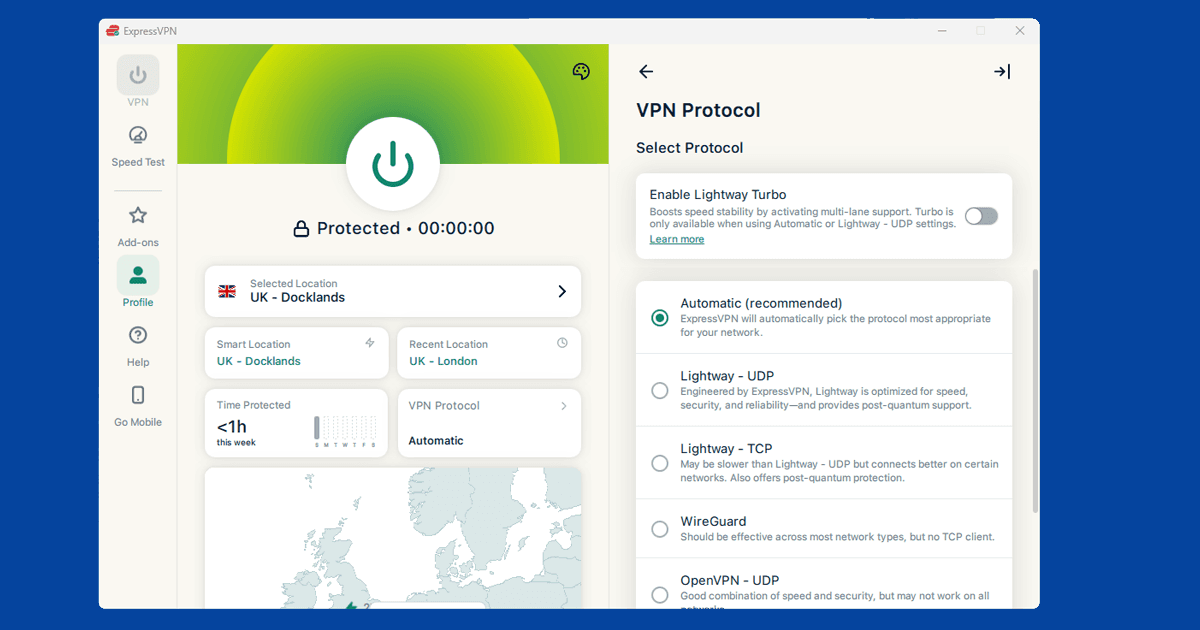
If you've switched servers and your IP looks correct but Twitch is still blocking you, try changing how your VPN connects. VPN apps can connect in a few different ways, and some cut through restrictions better than others. WireGuard is the fastest modern option and worth trying first.
Open your VPN app's settings and look for a section called Protocol or Connection. Select WireGuard. On NordVPN, WireGuard runs under the name NordLynx. On ExpressVPN, try Lightway instead: it's ExpressVPN's own high-speed protocol. Reconnect after switching, then try Twitch again. Our guide on changing your VPN protocol has the steps for all the major apps.
Check your VPN is showing the right location
If Twitch is still showing a restriction with your VPN on, visit our IP address checker to confirm your VPN is showing the correct location. If it is, your connection is working and the restriction has a different cause, so move to the next fix. If it shows your real location, your VPN isn't hiding it on that server: switch to a different one in the right country and check again.
Twitch on mobile and streaming devices
Twitch has apps for iOS, Android, Fire TV, and Samsung smart TVs, and it works in the browser on any device. How you run a VPN with Twitch depends on what you're watching on.
- iPhone and Android: install your VPN app and connect before opening Twitch. Make sure you're using the full VPN app rather than a browser extension: extensions only cover browser traffic and won't protect the Twitch app.
- Fire TV: NordVPN and ExpressVPN both have Fire TV apps. Install your VPN, connect to the right country, then open Twitch.
- Samsung smart TVs: Samsung's Tizen OS doesn't support VPN apps directly. Set up the VPN on your router instead, which routes all devices on your network through the VPN automatically.
- PlayStation and Xbox: consoles don't support VPN apps. The router method works here too, or you can cast from a phone or laptop that's running the VPN app.
- Desktop browser: connect your VPN app before opening Twitch. A browser-only VPN extension won't cover the Twitch desktop app if you use that separately.
Using Twitch in countries where it's blocked
In countries where Twitch is blocked entirely, a standard VPN connection may not be enough to get through. China's Great Firewall uses deep packet inspection to identify and block VPN traffic. Some heavily-filtered corporate or university networks use similar methods, though many use simpler port blocking that a standard VPN handles fine.
For the Great Firewall specifically, switch to OpenVPN TCP on port 443 in NordVPN, or Lightway in ExpressVPN. Both protocols blend in with regular web traffic, which makes them harder to block. If you're travelling to China, set your VPN up before you arrive: downloading and configuring a VPN from inside China can be much harder. Our guides on VPN on university networks and VPN on hotel wi-fi cover other restrictive network scenarios.
If you're travelling to a country where VPN use is regulated, check local laws before connecting. Rules vary by country and change over time.
What is Twitch?
Twitch is a live streaming platform owned by Amazon. It started as a gaming platform and still has gaming at its core, but it's expanded into music, art, cooking, sports, and general talk streams. It's free to watch without creating an account. Signing up unlocks chat, the ability to subscribe to individual streamers, and saved clips. Twitch Turbo (the optional paid tier) removes ads and adds some extras, but it isn't required to watch anything.
Most Twitch content has no geographical restrictions. The exceptions are streams involving regional broadcast rights, typically sports, where the broadcaster may only have permission to air to viewers in certain countries.